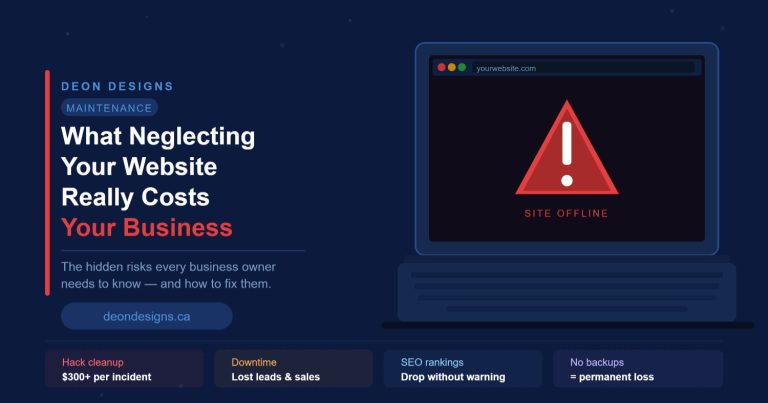

Harnessing Power: How Expert WordPress Maintenance Drives Online Success
In today’s digital landscape, we can’t underestimate the role of expert WordPress maintenance in achieving online success. Regular updates and strong security measures are just the beginning. As we explore the key components of effective maintenance, we’ll uncover how these practices not only enhance user experience but also boost our site’s performance and SEO. So, what exactly makes a well-maintained WordPress site a game-changer for our businesses?
Key Takeaways
- Regular updates and backups secure content, optimize performance, and enhance user experience, driving customer satisfaction and engagement.
- Improved site speed resulting from expert maintenance boosts SEO rankings, leading to higher visibility and increased traffic.
- Robust security measures protect against breaches, fostering audience trust and ensuring a reliable online presence.
- Fresh and engaging content strategies enhance user interaction, encouraging return visits and solidifying brand loyalty.
- Tailored maintenance services allow for efficient resource management, ensuring that businesses can focus on growth and innovation.
Understanding the Importance of WordPress Maintenance
When we think about running a successful online business, it’s easy to overlook the crucial role of WordPress maintenance. Yet, neglecting this vital aspect can stifle our creativity and growth.
A well-maintained site not only enhances user experience but also boosts our brand’s credibility. We can’t afford to let outdated plugins or slow loading times deter potential customers.
Regular updates and backups keep our content secure and our performance optimized. By prioritizing WordPress maintenance, we set ourselves up for innovation, ensuring our platform supports our evolving ideas and strategies.
Regular updates and backups safeguard our content and enhance performance, empowering us to innovate and adapt seamlessly.
It’s not just about keeping our site running; it’s about paving the way for future success. Let’s embrace this responsibility and unlock the full potential of our online presence.
Key Components of Expert WordPress Maintenance
When it comes to expert WordPress maintenance, there are key components we can’t overlook.
Regular updates and upgrades, robust security measures, and performance monitoring are essential for keeping our sites running smoothly.
Let’s explore how each of these elements contributes to our online success.
Regular Updates and Upgrades
To ensure our WordPress site remains secure and efficient, we must prioritize regular updates and upgrades. By keeping our themes, plugins, and the core system up-to-date, we unlock new features, enhance performance, and improve compatibility.
Embracing innovation means we’re always equipped with the latest tools to engage our audience and elevate user experience.
These updates not only optimize functionality but also address bugs and vulnerabilities, allowing us to stay ahead in a fast-paced digital landscape.
Regularly upgrading ensures that we harness the full potential of WordPress, making our site more agile and responsive to change.
Let’s commit to a proactive approach; together, we can drive our online success by creating a dynamic and cutting-edge platform.
Security Measures and Protocols
While we focus on enhancing our site’s functionality, implementing robust security measures and protocols is equally critical for protecting our online presence.
A proactive approach to security can safeguard our data and reputation, fostering trust with our audience. Here are four key components we should prioritize:
- Regular Backups: Automate backups to ensure we can quickly restore our site in case of an attack.
- SSL Certificates: Encrypt data transfer to enhance security and boost our search engine ranking.
- Firewalls and Security Plugins: Utilize advanced tools to block malicious traffic and monitor vulnerabilities.
- User Access Control: Limit user permissions to prevent unauthorized access and potential breaches.
Performance Monitoring and Optimization
After securing our site, the next step is ensuring it runs smoothly and efficiently. Performance monitoring and optimization are vital for keeping our WordPress site agile and user-friendly.
By regularly analyzing load times, we can identify bottlenecks and enhance user experience. We should leverage innovative tools to track performance metrics, adjusting our strategies based on real-time data.
Implementing caching solutions and optimizing images can significantly boost speed and responsiveness. Furthermore, staying updated with the latest plugins and themes ensures we’re not only efficient but also competitive.
Together, we can create an environment that not only meets our users’ expectations but exceeds them, paving the way for sustained online success. Let’s commit to this essential aspect of our maintenance journey!
The Impact of Regular Updates on Website Performance
Regular updates play a crucial role in enhancing our website’s performance. By keeping our WordPress site up-to-date, we unlock a range of benefits that drive innovation and efficiency.
Here are four key impacts of regular updates:
- Improved Speed: Updates often include performance enhancements that optimize loading times, keeping our visitors engaged.
- Enhanced Compatibility: Regular updates ensure our site works seamlessly with the latest plugins and themes, providing a smoother user experience.
- Bug Fixes: Updates address known issues, reducing errors and downtime, which keeps our site running smoothly.
- New Features: By updating, we gain access to cutting-edge functionalities that can help us stand out in a competitive digital landscape.
Let’s embrace regular updates and elevate our website’s performance!
Security Measures to Protect Your WordPress Site
To ensure our WordPress site remains secure, we must prioritize implementing robust security measures.
First, we should regularly update our themes and plugins to patch vulnerabilities.
Next, let’s utilize strong passwords and two-factor authentication to enhance login security.
Utilizing strong passwords and two-factor authentication is essential for bolstering our login security.
We can also benefit from a reliable security plugin that offers real-time monitoring and malware scanning.
Additionally, backing up our site frequently ensures we can quickly recover from potential breaches.
Importantly, we must limit user access and permissions, allowing only necessary roles to reduce risk.
Finally, educating ourselves and our team about phishing attacks and other threats can foster a proactive security culture.
Enhancing User Experience Through Maintenance
While securing our WordPress site is vital, we can’t overlook the importance of user experience. To truly captivate our audience, we need to focus on the following aspects of maintenance:
- Regular Updates: Keeping themes and plugins updated ensures optimal functionality and security.
- Performance Optimization: Streamlining images and scripts enhances loading times, making our site more engaging.
- Mobile Responsiveness: Ensuring our site looks great on all devices is crucial in today’s mobile-first world.
- 404 Error Monitoring: Quickly identifying and fixing broken links helps maintain user trust and reduces frustration.
SEO Benefits of a Well-Maintained WordPress Site
When we keep our WordPress site well-maintained, we unlock significant SEO benefits that can boost our online visibility.
Improved site speed, enhanced mobile optimization, and regular content updates are just a few ways maintenance can elevate our rankings.
Let’s explore how these factors contribute to our overall SEO strategy.
Improved Site Speed
Improved site speed not only enhances user experience but also plays a crucial role in SEO rankings.
When we prioritize speed, we’re investing in our website’s success. Here’s how faster load times can give us a competitive edge:
- Lower Bounce Rates – Visitors are more likely to stay on our site if it loads quickly.
- Higher Conversion Rates – Speedy sites see increased transactions and lead generation.
- Better Search Rankings – Search engines favor faster sites, boosting our visibility.
- Enhanced User Engagement – Quick-loading pages encourage deeper exploration of our content.
Enhanced Mobile Optimization
As we embrace the mobile-first world, enhancing mobile optimization becomes essential for our WordPress site’s success.
A well-optimized mobile site not only elevates user experience but also plays a crucial role in our search engine rankings.
We know that search engines like Google prioritize mobile-friendly designs, which means our site must perform seamlessly across devices.
Regular Content Updates
To keep our WordPress site thriving, we must prioritize regular content updates. This not only engages our audience but also enhances our SEO performance. Fresh content signals search engines that our site is active, which can boost our rankings.
Let’s consider some innovative ways to refresh our content:
- Blog Posts: Share insights on industry trends or share case studies to establish thought leadership.
- Visual Content: Update images or infographics that resonate with our audience’s interests.
- User-Generated Content: Encourage reviews or testimonials to foster community engagement.
- SEO Optimization: Regularly revise existing pages with updated keywords and meta descriptions.
Cost-Effective Maintenance Strategies for Businesses
While maintaining a WordPress site might seem daunting, we can implement cost-effective strategies that keep our online presence thriving without breaking the bank.
First, let’s leverage free plugins and tools for SEO and security to enhance our site’s performance. We can also schedule regular backups and updates to prevent costly emergencies down the line.
Embracing a content calendar helps us streamline our publishing process, ensuring consistent engagement without overwhelming ourselves. Moreover, we can utilize social media automation tools to promote our posts effectively.
By fostering a community through user-generated content, we not only save on content creation costs but also enhance interaction.
With these innovative approaches, we can maintain a dynamic online presence while staying budget-conscious.
Choosing the Right Maintenance Service for Your Needs
How do we find the right maintenance service that meets our specific needs? Selecting the perfect partner is crucial for our online success.
Finding the ideal maintenance service is essential for achieving online success and meeting our unique needs.
We should consider a few key factors to ensure innovation and efficiency:
- Expertise in Our Niche: Look for services that specialize in our industry to benefit from tailored solutions.
- Comprehensive Support: Choose a provider that offers a range of services, from backups to security, to cover all bases.
- Proven Track Record: Research client testimonials and case studies to gauge their effectiveness.
- Responsive Communication: Ensure they prioritize clear and timely communication, fostering a collaborative environment.
Frequently Asked Questions
How Often Should I Perform WordPress Maintenance Tasks?
We recommend performing WordPress maintenance tasks at least once a month.
This regular schedule helps us stay ahead of potential issues, ensuring our sites run smoothly and securely.
During these sessions, we should update themes and plugins, check for broken links, and optimize our databases.
If we experience high traffic or run an e-commerce site, we might want to increase this frequency to weekly.
Staying proactive keeps our online presence innovative and effective!
Can I Perform Maintenance Myself or Hire Someone?
When it comes to WordPress maintenance, we’ve got options!
We can tackle it ourselves, giving us full control and the chance to learn.
However, hiring an expert can save us time and ensure everything runs smoothly.
If we value innovation and want to stay focused on our core projects, bringing in a professional might be the best choice.
Ultimately, it’s about what fits our goals and capabilities best.
What Are Common Signs My Site Needs Maintenance?
When we evaluate our site, we should watch for common signs that it needs maintenance. Slow loading times, broken links, and outdated plugins are red flags.
If we notice unusual error messages or a sudden drop in traffic, it’s time to take action. Regular updates and backups can prevent bigger issues, ensuring our site runs smoothly.
Staying proactive helps us maintain an innovative online presence that keeps our audience engaged.
How Do I Backup My WordPress Site Before Maintenance?
Backing up our WordPress site before maintenance is crucial.
We can start by accessing our hosting provider’s control panel, where many offer one-click backup options. Alternatively, we can use plugins like UpdraftPlus or BackupBuddy for a seamless process.
Once we’ve created the backup, we’ll download it to our local storage for extra safety. This way, we ensure our content is secure and ready for any maintenance we plan to undertake.
Will Maintenance Improve My Website’s Loading Speed?
Absolutely, maintenance can significantly improve our website’s loading speed.
By regularly updating plugins, themes, and the WordPress core, we’re reducing the chances of conflicts that slow us down.
We’re also optimizing databases and cleaning up unnecessary files, which enhances performance.
Plus, we’re ensuring our hosting environment is efficient.
In short, consistent maintenance not only keeps our site secure but also boosts its speed, giving our visitors a smoother experience.
Conclusion
In conclusion, investing in expert WordPress maintenance is essential for driving our online success. By prioritizing regular updates, robust security, and enhanced user experience, we can ensure our websites remain competitive and engaging. The benefits extend beyond just performance; they also improve our SEO and brand credibility. Let’s embrace a proactive maintenance strategy to unlock our full digital potential and adapt to the ever-changing online landscape. Together, we can achieve lasting success!